


New article
Recently updated
Upgrading DartOPM V3 using the Update Wizard

Who is this article for?
DartOPM V3 (Formate eVo).
No special access or permissions are required.
This article explains how to upgrade your DartOPM V3 version using the built-in Update Wizard.
Understanding versioning
If your version is below 21.0.21053.11023, you need to download the earliest available version first (as of July 2026, this is V21.0.21074.11443).
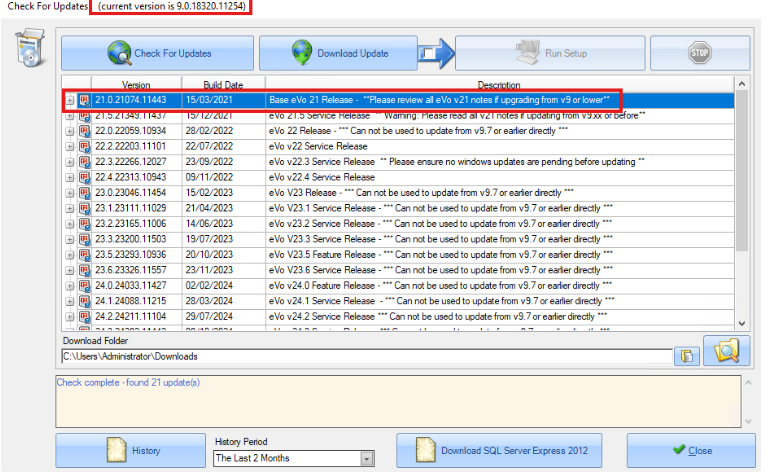
Not sure what version you're on?
Have a look at our article on checking your DartOMP V3 version.
Downloading the update
To download the update, tick the checkbox indicated by the arrow to automatically run the MSI installer after download completes.
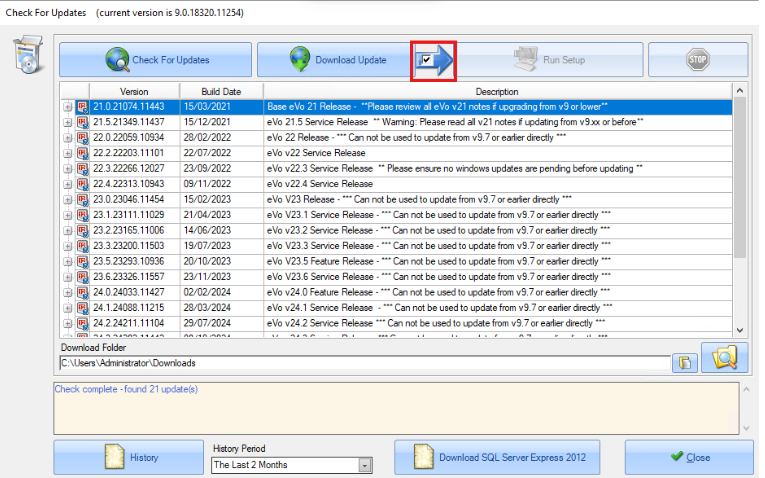
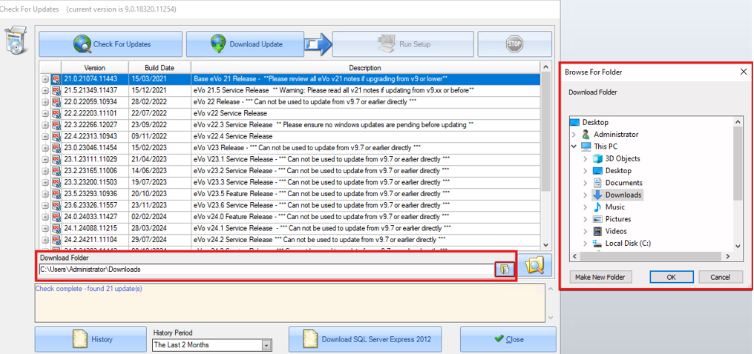
Alternatively, you can leave the checkbox unticked, specify a folder location, and run the MSI installer manually.
Installing the update
To install the update:
- Run the downloaded MSI installer.
- Follow the installation prompts.
- Reboot your system when the installation completes.
Note
If you were running a version lower than 21.0.21053.11023, you can repeat these steps to install a higher version after the initial upgrade.